
Smart Plugs Explained: What They Actually Do and When They're Worth It

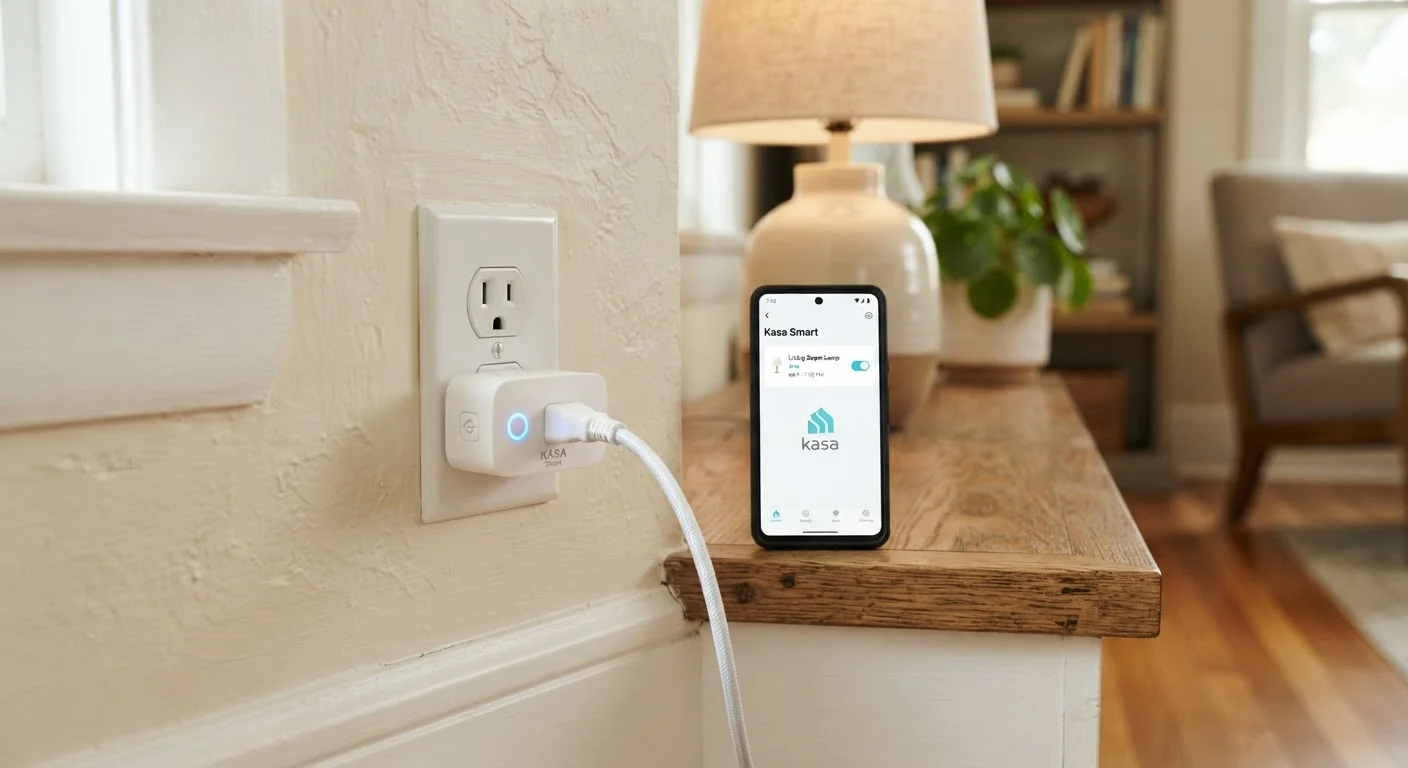
Smart plugs promise to make any appliance smarter. Here's how they work, what they can and can't do, and who genuinely benefits from them.
Key takeaways
- Smart plugs work with almost any appliance that plugs into a standard wall outlet.
- Remote control, scheduling, and energy monitoring are their three core functions.
- They cannot make a dumb appliance "smart" — only control its power supply.
- Energy monitoring models can help identify hidden electricity costs from standby devices.
- Setup typically takes under ten minutes and requires no technical expertise.
- They deliver the most value when solving a specific, recurring problem in your routine.
What a Smart Plug Actually Does
Strip away the marketing language and a smart plug does one thing: it controls the flow of electricity to whatever is plugged into it. Think of it as a remotely operated light switch, except it works on any standard outlet, not just the wiring behind your wall.
That single capability unlocks three practical functions:
- Remote on/off: Turn a lamp or fan on or off from your phone, whether you're on the couch or across town.
- Scheduling: Set the coffee maker to start before your alarm goes off, or have a lamp turn on at sunset every evening automatically.
- Energy monitoring: Some models measure the wattage drawn by the connected device in real time, so you can see exactly what your appliances cost to run.
What a smart plug cannot do is equally important to understand. It does not add intelligence to the appliance itself. A basic coffee maker plugged into a smart plug is still a basic coffee maker — the plug just controls whether it receives power. If the appliance requires you to press a button to start after power is restored, a smart plug won't help you automate it.
How Smart Plugs Connect and Communicate
The majority of smart plugs sold in the US connect to your home network over standard 2.4 GHz Wi-Fi. Once connected, they communicate with a manufacturer's cloud server, which is why you can control them from anywhere with an internet connection. Setup is typically straightforward: plug it in, download the companion app, and follow a short pairing process.
A smaller category of smart plugs uses mesh radio protocols — Zigbee or Z-Wave — instead of Wi-Fi. These require a compatible hub to function but tend to handle interference better in homes with many connected devices. If you're just getting started, a Wi-Fi model is the simpler path.
Many smart plugs are compatible with popular voice assistants and smart home platforms, allowing you to fold them into broader automations — for example, turning off all standby devices when you say a goodnight command. If building out a broader setup interests you, see our complete guide to everyday smart gadgets for a fuller picture of how these devices work together.
Check Your Plug's Wattage Rating
Every smart plug has a maximum wattage it can safely handle — commonly 10 to 15 amps, or roughly 1,200 to 1,800 watts in a standard US 120V outlet. Always check that the appliance you're connecting falls within that limit. High-draw appliances like space heaters or window air conditioners may exceed what a standard smart plug is rated to handle safely.
When a Smart Plug Actually Earns Its Place
Smart plugs are genuinely useful when they solve a specific problem you already have. Here are the situations where they consistently deliver real value:
- Standby power waste: Electronics left in standby mode — TVs, gaming consoles, desktop computers — can quietly add to your electricity bill. A smart plug with energy monitoring can quantify that cost, and a schedule can cut power overnight. Our article on everyday devices that drain your energy bill explains which appliances are the most common culprits.
- Routine automation: If you do the same thing every day at the same time — brewing coffee, running a fan, charging a device — a scheduled smart plug removes the manual step entirely.
- Accessibility: For people with limited mobility, being able to control a lamp or appliance without reaching a switch can make a meaningful difference.
- Peace of mind: Left home unsure whether you turned off a device? A smart plug lets you check and act remotely.
~5–10%
Share of home electricity from standby devices
The US Department of Energy estimates that standby power — sometimes called "vampire power" — accounts for roughly 5 to 10 percent of residential electricity use.
$100+
Estimated annual standby power cost per US household
Lawrence Berkeley National Laboratory research has estimated that always-on standby consumption can cost the average US household over $100 per year in electricity costs.
Where smart plugs tend to disappoint is when bought without a clear use case. If you can't name a specific recurring problem they'd solve, the novelty typically fades within a few weeks.
Common Misconceptions Worth Clearing Up
A few misunderstandings circulate about smart plugs that are worth addressing directly.
"Any appliance becomes smart." As noted above, the plug controls power — it doesn't change what the appliance does. A lamp becomes remotely controllable. A washing machine does not become voice-activated.
"They'll dramatically cut my electricity bill." The savings depend entirely on your habits and which devices you target. Eliminating genuine standby waste can produce a noticeable difference over time, but a smart plug isn't a guaranteed money-saving device. For a broader look at gadget claims that don't hold up, see our article on gadget myths that keep costing people money.
"Setup is complicated." For the vast majority of Wi-Fi models, setup takes under ten minutes and requires no technical background. If you're approaching your first smart home device of any kind, the process is explained in plain terms in our guide to getting your first smart home device up and running.
Smart plugs occupy a practical, unglamorous corner of the smart home world — and that's exactly why they work for so many people. They solve narrow, real problems without requiring you to rewire anything or learn a new system from scratch.
Frequently Asked Questions
All published content on this website is for informational and educational purposes only and should not be taken as professional advice. We recommend that readers seek expert opinion before making any decisions. The website is not responsible for any actions taken based on the information provided on this website. We are not liable for any inaccuracies, modifications, or omissions in information. Moreover, external links or third-party content are provided for convenience; we are not liable for their correctness. Users are advised to verify every piece of information before they use it for any purpose.