
Free vs. Paid App Tiers: When the Upgrade Actually Makes Sense

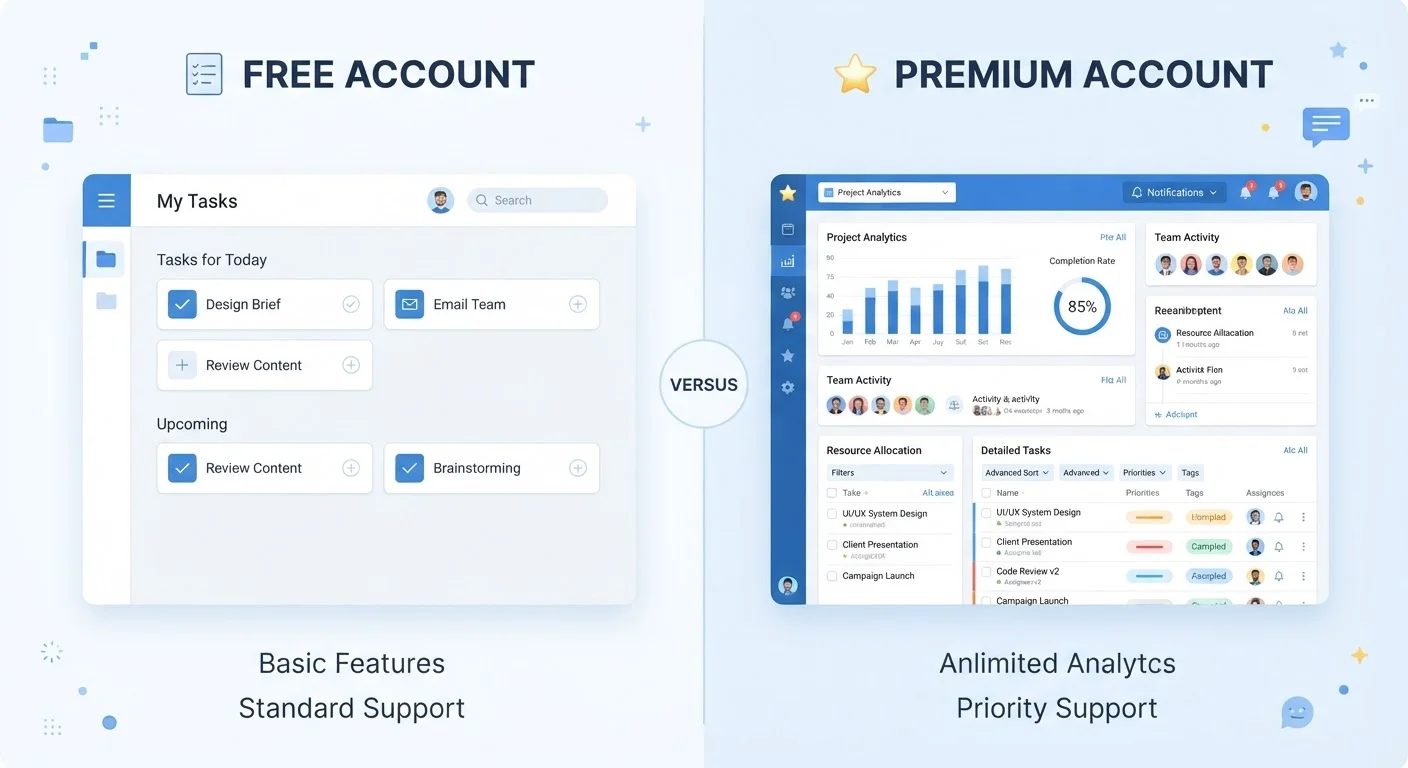
Most apps offer a free plan and a paid one. Here's how to honestly evaluate whether the premium features are worth the recurring cost.
Our Verdict
Paid app tiers deliver real value when the premium features address a specific, recurring need you already have — not a hypothetical one. For casual or occasional use, free tiers are usually sufficient and upgrading adds cost without proportional benefit. The honest test is whether you'd notice the loss if the paid features disappeared tomorrow.
Upgrading makes the most sense for people who use an app daily for professional or productivity purposes and have clearly hit the limits of the free tier.
Key takeaways
- Free tiers are often genuinely useful, not just stripped-down previews designed to frustrate you.
- The upgrade makes sense when a paid feature saves you measurable time or solves a recurring problem.
- Recurring subscription costs accumulate quickly — audit what you actually use before committing.
- A trial period is the most reliable way to determine whether premium features fit your real workflow.
- Many people pay for features they discovered only after upgrading and rarely touch again.
Why the Free vs. Paid Decision Is Harder Than It Looks
App developers have become skilled at structuring free tiers to feel just useful enough to keep you engaged while reserving the features that would make the tool genuinely powerful for paying subscribers. That's not cynical — it's a sustainable business model. But it means users face a recurring judgment call: is the friction I'm experiencing a real limitation, or a deliberate nudge toward an upgrade I don't truly need?
The challenge is that marketing for paid tiers is built into the product itself. Every time you hit a limit — an export cap, a watermark, a storage ceiling — you see a prompt. Over time, those prompts can feel like evidence that the free tier is broken, when it may simply be complete for your actual usage.
Understanding what you're actually evaluating requires separating two distinct questions: what does the paid tier add, and does what it adds matter to how you specifically use the app? Those are different questions, and conflating them is how people end up paying for software they barely use. For a broader look at how subscription costs quietly compound, see how recurring app fees add up.
The Real Advantages of Upgrading
When the upgrade genuinely fits your workflow, the benefits are concrete and repeatable — not abstract.
Removes friction that genuinely slows your workflow
Storage limits, export caps, and file-size restrictions in free tiers create real interruptions for frequent users. Paying to remove them streamlines daily tasks without requiring workarounds.
Unlocks automation that saves repeatable time
Many paid tiers include scheduling, batch processing, or integration features that automate repetitive steps. For users who perform the same actions regularly, this can translate to meaningful time savings each week.
Eliminates ads and interruptions during focused work
Ad-supported free tiers can break concentration at critical moments. For apps used in professional or deep-work contexts, an uninterrupted experience has a legitimate productivity value.
Access to priority support and faster issue resolution
Paid users typically receive faster customer support responses. If the app is central to work you depend on, quicker troubleshooting access reduces downtime.
Collaboration features enable shared team workflows
Most free tiers are single-user by design. Paid plans often unlock real-time collaboration, shared workspaces, or permission controls that are essential when multiple people need to access the same data.
~5%
Free users who convert to paid tiers
Industry analysis of freemium software models consistently finds that conversion rates from free to paid typically fall in the 2–5% range, reflecting how often free tiers meet most users' actual needs.
2–3 features
Average features regularly used per app
Usability research broadly finds that most users rely on a small subset of any app's available features, regardless of how many a paid tier unlocks.
The pattern across productivity, creative, and utility apps is consistent: paid tiers tend to add depth rather than breadth. They don't give you entirely new capabilities so much as they remove constraints on capabilities you already use. For power users, those constraints are the difference between a tool that works and one that doesn't.
The Honest Disadvantages of Paying for Premium
The case against upgrading is just as grounded in real behavior — and it's one the app industry has little incentive to surface for you.
Monthly fees accumulate faster than most people track
Individual app subscriptions feel small in isolation, but four or five of them at $5–$15/month each add up to hundreds of dollars annually — often for tools used infrequently.
You may pay for features you rarely use
Research consistently shows that users explore new features heavily right after upgrading, then revert to the same small set of actions they used before. The premium features become shelfware within weeks.
Cancellation doesn't always mean you get your data back
Some apps store files, notes, or records in formats accessible only through the paid tier. Downgrading can restrict access to your own content until you export it — a step many users miss before canceling.
Prices can rise after you're reliant on the tool
App pricing is not fixed. Once a paid tier becomes part of your routine, you're exposed to future price increases with limited alternatives if you've already migrated your data into the ecosystem.
Free alternatives may cover the same ground
The competitive landscape for apps in most categories is broad. A free tier from one provider that frustrates you may be matched or exceeded by a fully free offering from another, without requiring any payment.
None of these disadvantages mean paid tiers are never worthwhile. They mean the decision deserves more scrutiny than the in-app upgrade prompt encourages you to give it. If you're also weighing whether a full standalone app is even the right format for your need, comparing browser extensions to standalone apps can help clarify the question before you commit to any subscription.
A Practical Framework for Making the Call
Rather than responding to in-app prompts in the moment, a structured approach helps filter genuine need from manufactured urgency.
Step 1: Name the specific problem
Identify the exact feature or limit you're hitting and how often you encounter it. If you can't name it precisely, you probably don't need it urgently.
Step 2: Use any available trial
Most paid tiers offer a free trial. Use it actively — not passively — by deliberately engaging with the features you think you need. If you forget to use them during the trial, that's meaningful data.
Step 3: Calculate the annual cost, not the monthly one
A $5/month subscription is $60/year. At that annualized figure, compare it to what else that money covers in your life. That reframe often changes the calculation.
Step 4: Revisit existing free tools
Before upgrading, check whether the free version of the same app — or a free alternative — has a workaround you haven't explored. Getting more from apps already on your phone covers how to find overlooked features in tools you already own.
The Trial Period Is the Most Honest Test
If an app offers a free trial of its paid tier, treat it as an experiment rather than a preview. Use a calendar reminder to evaluate your actual usage before the trial ends — not after the first charge appears. Note which premium features you genuinely used and which you opened once out of curiosity. That usage log is a more reliable signal than how the upgrade felt on day one.
For finance and budgeting apps specifically, the free-vs-paid decision overlaps with questions about what kind of tool suits your habits — a consideration explored in depth when comparing spreadsheet-based budgeting to app-based budgeting.
All published content on this website is for informational and educational purposes only and should not be taken as professional advice. We recommend that readers seek expert opinion before making any decisions. The website is not responsible for any actions taken based on the information provided on this website. We are not liable for any inaccuracies, modifications, or omissions in information. Moreover, external links or third-party content are provided for convenience; we are not liable for their correctness. Users are advised to verify every piece of information before they use it for any purpose.