
The Quiet Permissions Your Apps Are Asking For — and Why It Matters

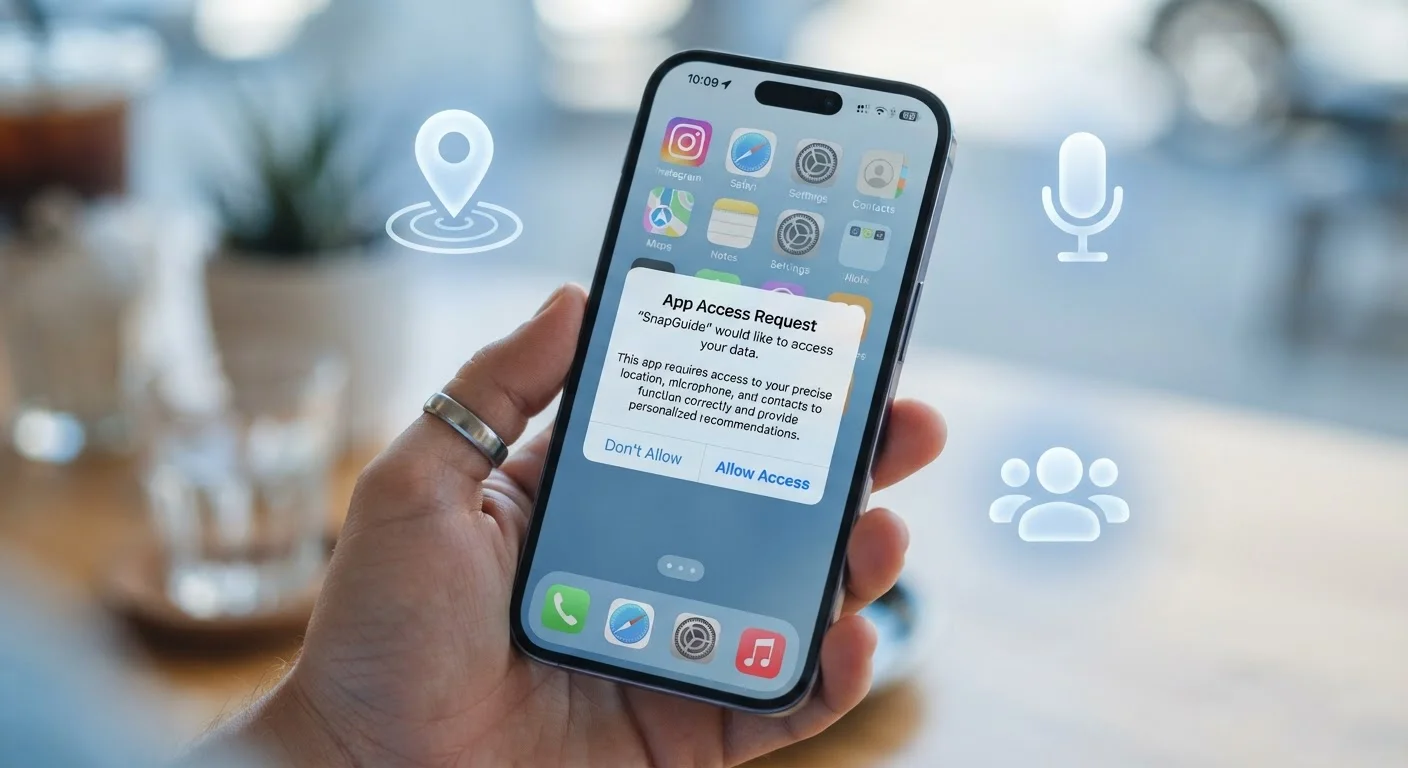
Location, microphone, contacts — apps request a lot. Understand what each permission does and how to decide what access is reasonable to grant.
Key takeaways
- Apps can only access your device's features if you explicitly grant them permission.
- Some permissions — like location or microphone — carry higher privacy stakes than others.
- You can review and revoke permissions at any time in your phone's settings.
- A mismatch between an app's purpose and the permissions it requests is a meaningful red flag.
- Choosing 'only while using the app' is often safer than granting permanent background access.
What Permissions Actually Are
Every app you install operates within a sandbox — an isolated environment your phone's operating system creates to prevent apps from freely reaching into other parts of your device. Permissions are the gateways out of that sandbox. When an app needs to use your camera to scan a QR code, or your GPS to show nearby restaurants, it must formally request access through the operating system, which then asks you to decide.
Modern smartphones group these requests into categories that correspond to specific hardware or data: Location, Camera, Microphone, Contacts, Calendar, Photos & Media, Bluetooth, and Notifications, among others. Each category controls a distinct slice of access, so granting camera permission does not automatically grant microphone access — and vice versa.
Understanding this structure is the first step toward making deliberate choices rather than tapping "Allow" out of habit.
The Permissions That Deserve the Most Scrutiny
Not all permissions carry equal weight. Some are low-stakes; others can expose meaningful personal information if granted carelessly.
Choose 'While Using' Whenever Possible
For location and microphone permissions, most phones offer a 'only while using the app' option in addition to 'always allow.' Selecting the more limited option means the app can only access that resource when it's actively open on your screen — not quietly running in the background. This single habit meaningfully reduces passive data collection without breaking most apps.
High-Stakes Permissions
- Location: Reveals where you are, where you've been, and — if background access is granted — where you go throughout the day. The granularity of this data makes it particularly sensitive.
- Microphone: Allows the app to record audio from your device's mic. Legitimate uses include voice calls, dictation, and audio messaging; an app that has no voice feature requesting mic access warrants a second look.
- Contacts: Grants access to names, phone numbers, and email addresses stored on your device — including people who never consented to share their information with that app.
- Camera: Enables photo and video capture. Most camera-adjacent features are legitimate, but background camera access is unusual and worth questioning.
Lower-Stakes but Still Notable
- Calendar: Lets the app read or write events. Scheduling apps obviously need this; a casual game does not.
- Bluetooth: Used for connecting peripherals or nearby device communication. Smart-home and fitness apps commonly need it, but it can also be used for location tracking via Bluetooth beacons.
How to Evaluate a Permission Request
The core question to ask when an app requests a permission is simple: Does this access make sense for what this app does? A rideshare app asking for your location makes obvious sense. A flashlight app asking for your contacts does not.
When the purpose is unclear, a few follow-up questions help:
- Is this permission required for the app's primary function, or is it optional? Many apps will work in a reduced capacity without certain permissions. Denying and testing is often the best approach.
- What level of access is being requested? For location, prefer "only while using" over "always." For photos, some apps offer access to selected images rather than your entire library — choose the narrower option when available.
- Does the app's privacy policy explain how this data is used? Privacy policies are not light reading, but checking whether an app mentions selling data to third parties is a meaningful signal.
Unused apps that still hold permissions are a related concern — they can accumulate access silently. For practical guidance on trimming software you no longer use, see how to identify and address digital clutter on your devices.
Managing Permissions You've Already Granted
Most people grant permissions quickly during onboarding and never revisit them. An occasional audit of your device's permission settings is a straightforward privacy maintenance habit.
On iPhone, go to Settings > Privacy & Security to see a list of permission categories; tapping any one shows every app that has requested it and the current status. On Android, navigate to Settings > Privacy > Permission Manager for a similar overview.
When auditing, look for apps that:
- Have permissions they no longer need because their role in your life has changed
- Requested access you don't remember granting
- Hold background location access when foreground-only would suffice
Revoking a permission doesn't uninstall the app or delete your account — it simply restricts what the app can access going forward. If an app stops working correctly after a revocation, you can restore the permission selectively.
Managing permissions well is one piece of a broader approach to using apps intentionally. If notification behavior is another area you'd like to tighten up, reclaiming focus from notification overload covers practical strategies without requiring you to delete anything.
Frequently Asked Questions
All published content on this website is for informational and educational purposes only and should not be taken as professional advice. We recommend that readers seek expert opinion before making any decisions. The website is not responsible for any actions taken based on the information provided on this website. We are not liable for any inaccuracies, modifications, or omissions in information. Moreover, external links or third-party content are provided for convenience; we are not liable for their correctness. Users are advised to verify every piece of information before they use it for any purpose.